
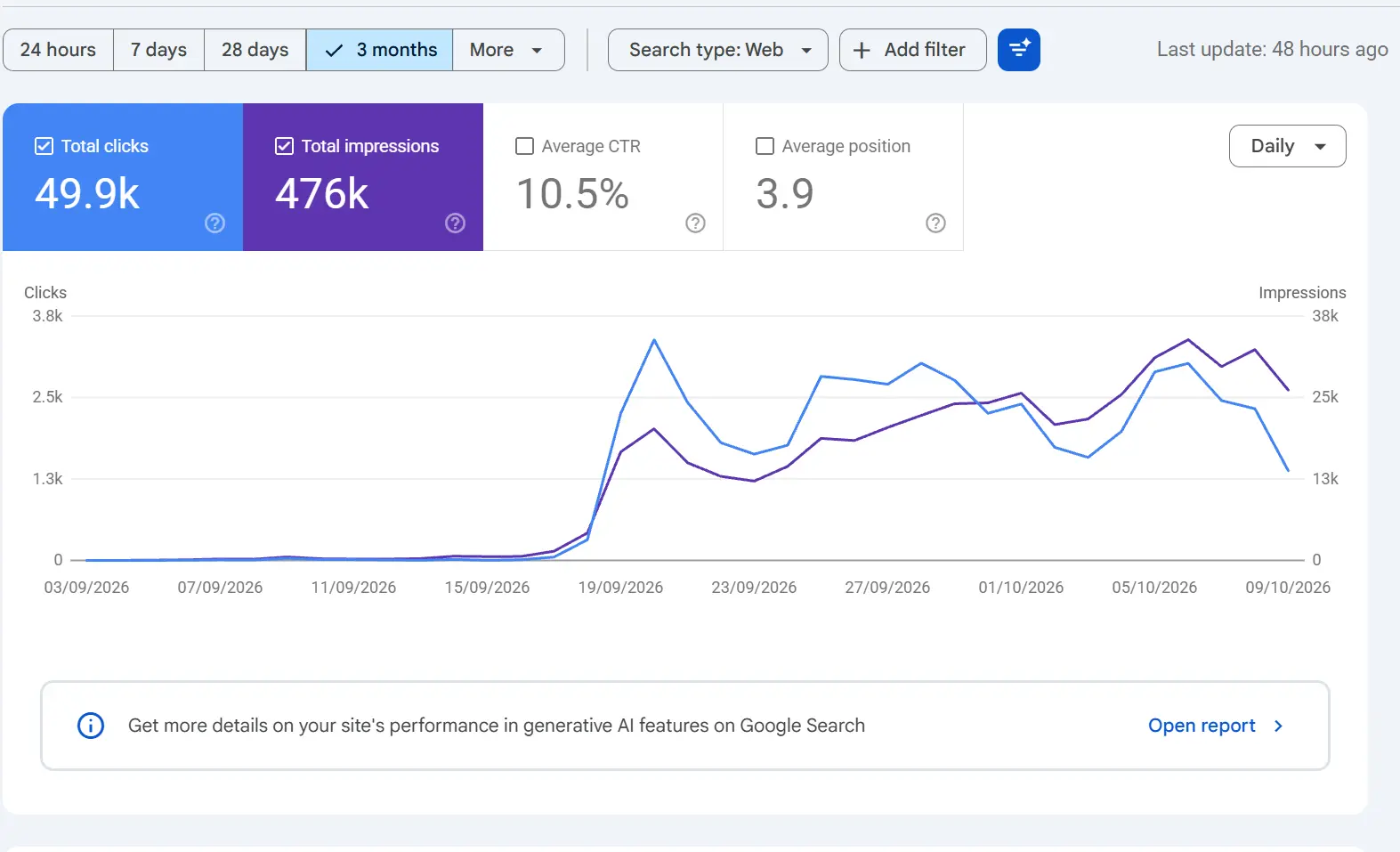
If your Google Search Console (GSC) Performance dashboard displays “Last updated: 48 hours ago”, “64 hours ago”, or appears frozen on a date from several days prior, you are experiencing an infrastructure-level data processing delay on Google’s side.
This is a platform-wide occurrence that affects millions of verified websites simultaneously rather than an issue isolated to your specific property. Understanding how Search Console ingests data clarifies why these delays happen and why your actual organic rankings and live traffic remain unaffected.
How Google Search Console Processes Performance Data
Unlike real-time web analytics tools that log pageviews through client-side tracking scripts, Google Search Console operates via asynchronous, multi-stage backend batch pipelines:
- Raw Query Logging: Search serving clusters continuously log impressions, clicks, click-through rates (CTR), and average positions across global data centers.
- Privacy Filtering & Anonymization: Google filters out low-volume search queries and queries containing sensitive personal identifiers to preserve user privacy.
- Aggregation & Deduplication: Automated batch jobs aggregate metrics by property, page URL, device type, search appearance, and geographic location. Multiple impressions for a single domain in one search result are deduplicated according to Search Console’s property-level aggregation rules.
- Dashboard Delivery: Once processing routines complete, metrics are committed to reporting tables displayed in the user interface and delivered via the Search Console API.
Because these batch pipelines run on scheduled intervals rather than in real time, GSC performance data has a standard baseline latency of 24 to 48 hours under ordinary conditions, as documented in the Google Search Central Community Guide
.
What Causes Extended 48-to-70+ Hour Freezes?
When reporting lags stretch past 48 or 60 hours, the stall typically stems from one of three backend factors:
- Processing Cluster Bottlenecks: When routine infrastructure maintenance, cluster upgrades, or database re-indexing tasks take longer than expected, dependent downstream batch jobs pause until the queue is cleared.
- Major Algorithm Deployments: Extended delays often align with large-scale Search algorithm updates (such as core updates or spam rollouts). Computational resources during these periods are prioritized toward live crawling, indexing, and ranking calculations over analytical dashboards.
- Data Validation Halts: If anomaly-detection mechanisms detect unexpected log-stream discrepancies, the pipeline temporarily halts to avoid committing incomplete or corrupted figures to historical records.
Reporting Lag vs. Ranking Drop: Are Rankings Impacted?
Key Fact: A reporting delay in Google Search Console has zero effect on your actual search rankings, crawling, indexing, or live search traffic.
| Dimension | Search Console Reporting Pipeline | Live Google Search Engine |
| Core Role | Historical reporting dashboard | Live crawling, indexing, and ranking |
| Status During Delay | Delayed / Paused queue | Fully operational |
| Visitor Impact | Dashboard graphs appear frozen | Searchers continue visiting the website |
| Data State | Buffered in processing storage | Rankings update continuously in real time |
Your web pages remain indexed, Googlebot continues crawling your URLs, and searchers can still discover and click your listings in Google Search results.
Will Missing Click and Impression Data Be Lost?
No. The data will backfill automatically.
Google’s raw search logs continue recording search activity during dashboard freezes. Once backend engineers resolve the pipeline backlog, the processing queue resumes in chronological order, and the missing hours or days are backfilled into your performance graphs (as observed across past outages documented on Search Engine Roundtable).
Recommended Steps During a Search Console Delay
- Confirm Platform-Wide Status: Check industry discussions on forums like Reddit (
r/SEO) or X (Twitter). If numerous webmasters report the identical delay timeframe, it confirms a global Google issue. Official service status can also be reviewed on the Google Search Status Dashboard. - Verify Live Visitors in GA4: Check Google Analytics 4 under Reports > Realtime or review your Organic Search channel performance to confirm that genuine visitors are continuing to land on your pages.
- Check Server Access Logs: Inspect server access logs for standard Googlebot crawl activity and inbound referrers from
google.com. - Avoid Unnecessary Technical Changes: Do not make reactive modifications to your
robots.txtfile, canonical tags, or sitemaps. Altering site architecture in response to an analytics reporting delay introduces unnecessary risk.
Frequently Asked Questions
Why does my GSC report show “Last updated: 48 hours ago”?
This timestamp indicates that the background batch processing system responsible for aggregating search data is delayed. It reflects an internal Google queue delay, not an issue with your website.
Does this mean my site was penalized by an algorithm update?
No. Algorithmic adjustments alter ranking positions and visibility, whereas a data delay freezes the reporting timestamp across thousands of unaffected properties simultaneously.
Do I need to request indexing again?
No. Crawling and indexing pipelines operate separately from performance reporting. Re-requesting indexing will not speed up the performance dashboard update.
How often does Search Console normally update?
Under normal conditions, preliminary data arrives within a few hours to a day, but finalized data typically takes 24 to 48 hours to fully process.
Summary
A “Last updated: 48 hours ago” notice in Google Search Console is a benign reporting lag caused by backend batch processing delays. Your live rankings and organic search traffic remain unaffected, and all interim metrics will populate once Google’s systems clear the processing backlog.